Context
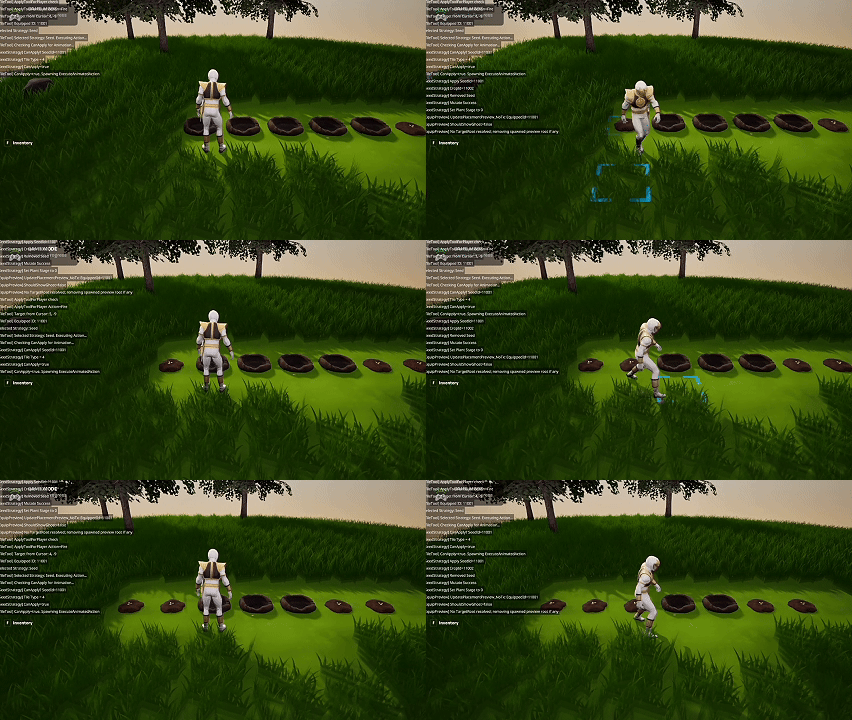
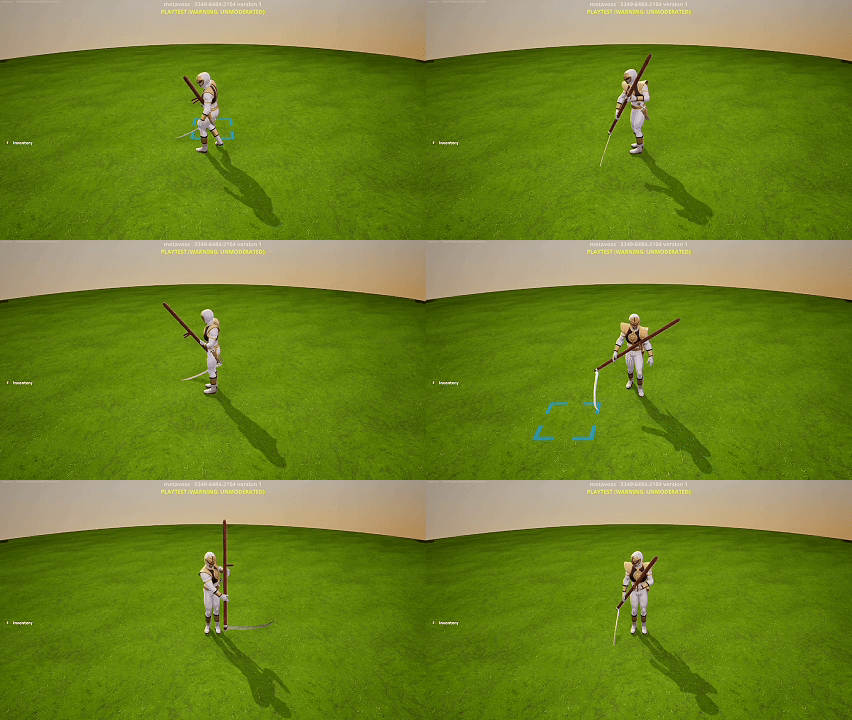
Today I explored a workaround for adding custom animations to the player character. UEFN still has limitations around fully custom animation graphs, so I experimented with a non‑standard approach using the seat_device to force pose and animation changes.
The approach is unconventional and required a lot of iteration, but the results were surprisingly fluid once tuned.
Custom Animation Implementation
The core idea was to:
- Attach invisible seat devices to specific world states or interactions.
- Snap the player into the seat with a custom pose.
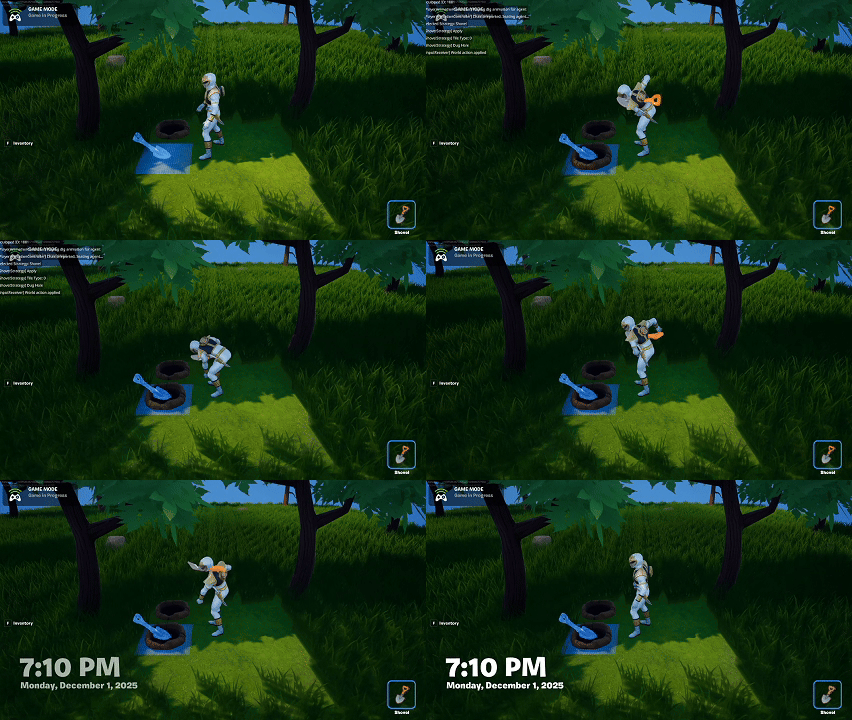
- Blend this into gameplay to simulate unique animations.
Despite being a workaround, it created the UX I was aiming for—more personality and clarity in the player’s actions.
Challenges & Trade‑offs
This method is not scalable on its own:
- It requires many devices for different animation states.
- Setup is more manual than a true animation graph.
- Debugging takes longer because animation transitions depend on device logic.
Still, the trade-off felt acceptable because animation quality has a major impact on player perception, especially in a cozy life‑sim where expressiveness matters.
Next Steps
- Replace placeholder meshes with higher‑quality versions.
- Source or create better animations to integrate into the system.
- Build a consistent workflow to manage the growing number of seat devices.
Summary
What I accomplished:
- Implemented a functional custom animation system using seat devices.
- Achieved fluid transitions despite engine limitations.
- Established a path to more expressive player actions.
What I learned:
- Sometimes the best solution is a hack that reliably delivers the desired UX.
- Animation polish dramatically improves overall game feel.
- Even non‑scalable systems can be worthwhile when used intentionally.