Category: Fortnite / UEFN

  • Bringing Cozy Games to Fortnite – Day 16

    Bringing Cozy Games to Fortnite – Day 16

    Day 16 — Crafting System Foundations

    Context

    Today marked the beginning of one of the largest and most important systems in Island Crossing: Crafting. This feature ties together nearly every other gameplay loop—gathering, tools, resources, progression—and will become a core part of the long‑term player experience.

    Rather than trying to implement everything at once, I split the work between the AI Agent and myself so progress could happen in parallel.

    System Architecture & Requirements

    I began by outlining the full set of requirements for crafting, including:

    • Crafting recipes
    • Required ingredients and quantities
    • Output items
    • Crafting stations
    • Crafting UI flow
    • Validation logic
    • Inventory integration
    • Placement and pickup behavior

    The list is large, but defining it early will reduce rework later.

    Parallel Development Workflow

    To keep things moving efficiently:

    • The AI Agent began implementing the backend logic and data structures.
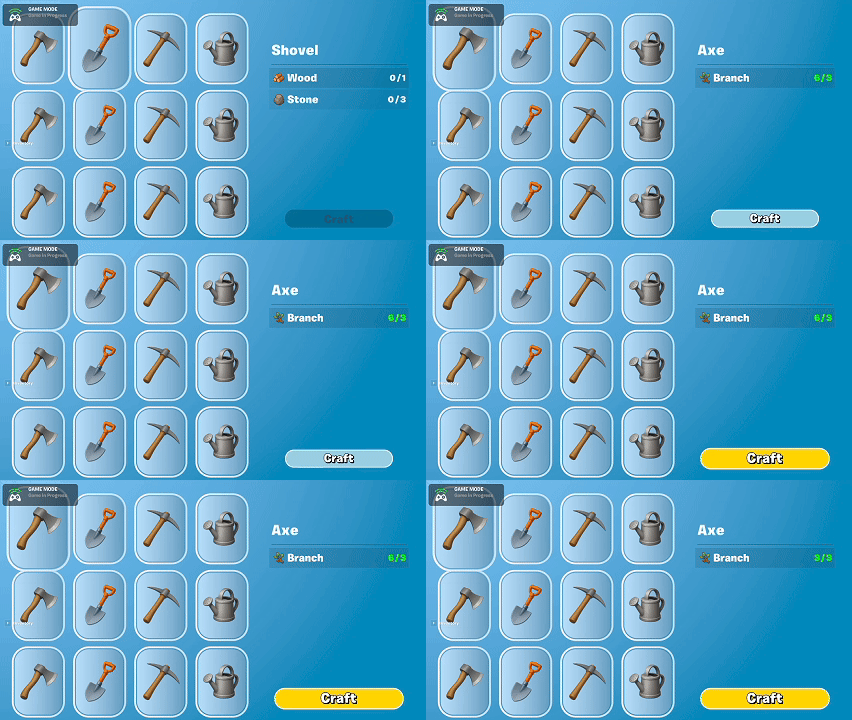
    • I focused on building the UWs (User Widgets) that will form the Crafting UI.

    This separation made it easier to work iteratively without blocking on UI or logic dependencies.

    UI Work

    I created the early versions of the UWs that will handle:

    • Displaying available recipes
    • Highlighting required materials
    • Showing the player’s current inventory
    • Crafting confirmation flow

    Most of these are placeholder visuals, but they establish the overall layout and structure the system will build on.

    Summary

    What I accomplished:

    • Defined the full requirements for the Crafting system.
    • Began implementing Crafting backend logic via the AI Agent.
    • Created the initial set of Crafting UI widgets.
    • Established a parallel workflow to speed up development.

    What I learned:

    • Large systems benefit from early requirement gathering to avoid rework.
    • Parallel work between UI and backend is effective when the system is well‑scoped.
    • Crafting will likely be one of the most interconnected systems in the project.
  • Bringing Cozy Games to Fortnite – Day 15

    Bringing Cozy Games to Fortnite – Day 15

    Day 15 — Resource Gathering & Tile Coexistence

    Context

    Today’s work expanded gathering mechanics and improved tile flexibility.

    Resource Additions

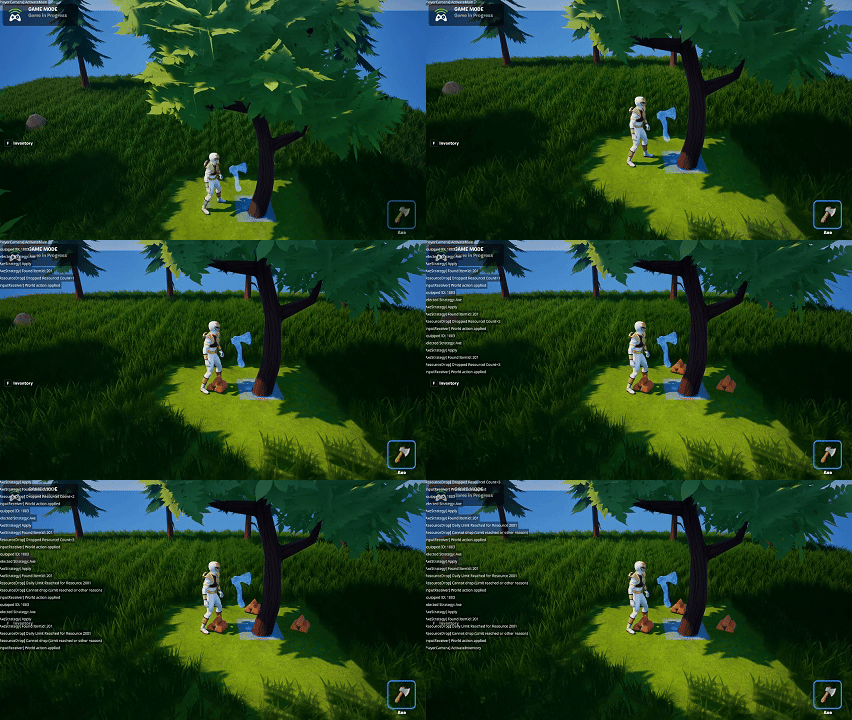
    • Branches from shaking trees.
    • Wood Piles from chopping trees.
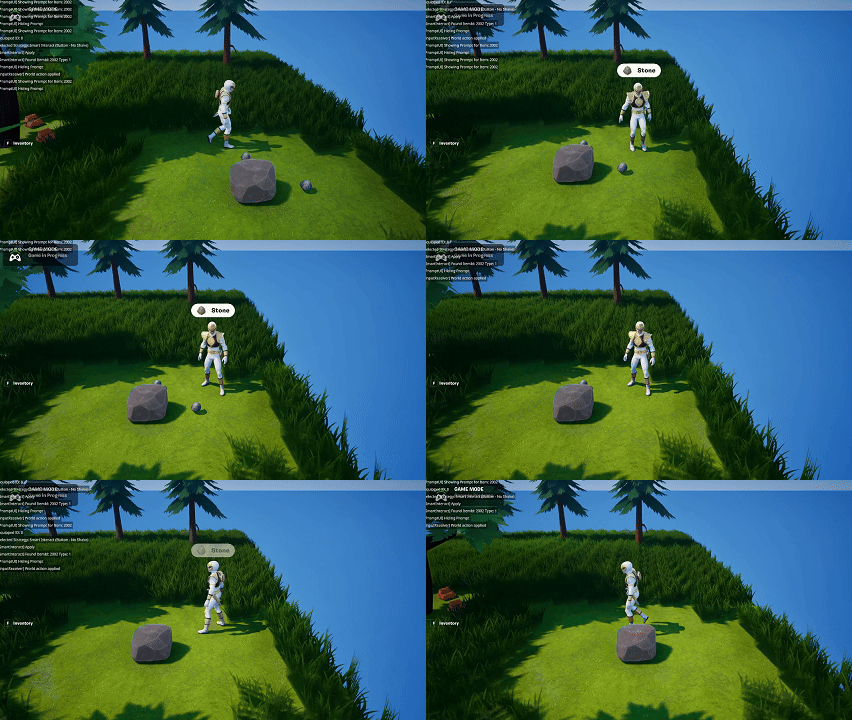
    • Stone from pickaxing rocks.

    Tile Coexistence

    • Grass can now coexist with other tile occupants, increasing interaction flexibility.

    Interaction Prompt

    • Added UI prompts for interactions to improve clarity.

    Asset Expansion

    • Used the automation pipeline to generate icons and meshes; also purchased assets for future crops.
    Axe Function (Chop)
    UW that shows the item to interact with

    Summary

    What I accomplished:

    • Added Branches, Wood Piles, and Stone.
    • Implemented tile coexistence.
    • Added interaction prompts.
    • Expanded asset library.

    What I learned:

    • Coexistence greatly simplifies world design.
    • Interaction prompts are essential as interactions increase.
  • Bringing Cozy Games to Fortnite – Day 14

    Bringing Cozy Games to Fortnite – Day 14

    Day 14 — Trees, Rocks & Asset Automation

    Context

    Today focused on expanding world variety and building tooling to accelerate asset creation.

    Natural Resources

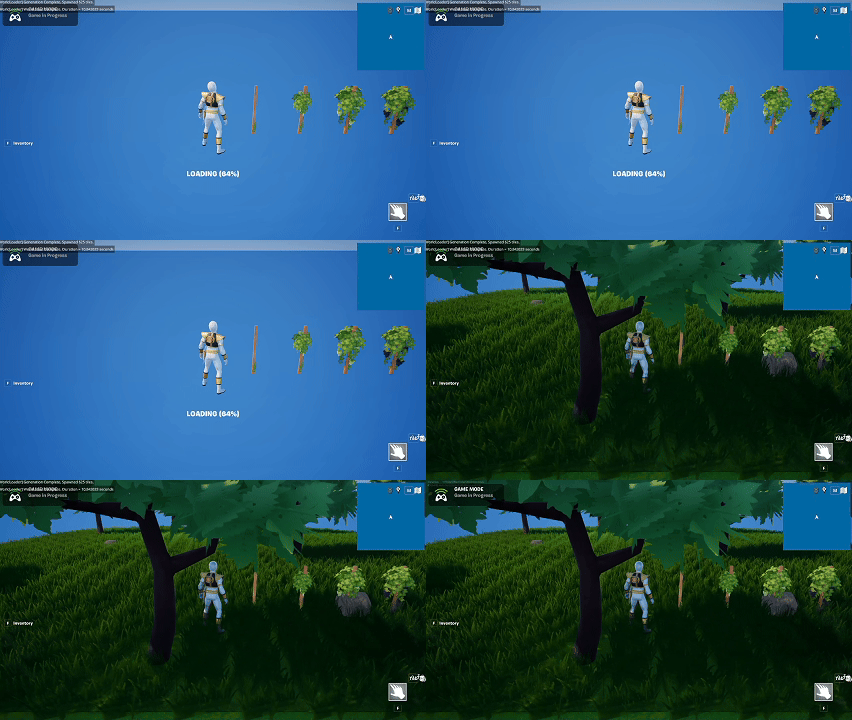
    • Added random trees and rocks during initial world generation.

    Item Catalog Refactor

    • Centralized item definitions to remove scattered Item IDs.

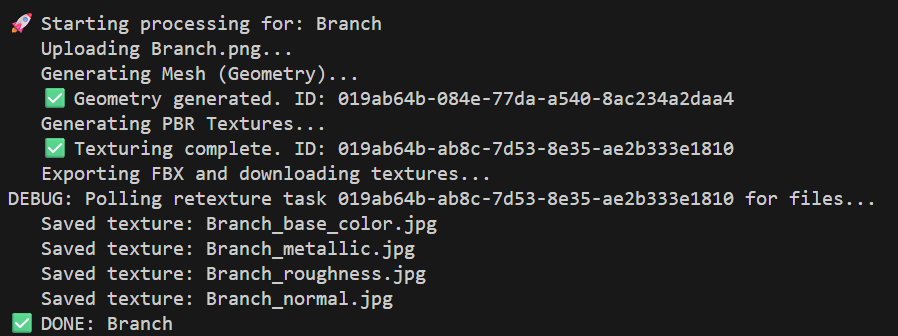
    Asset Pipeline

    • Set up Python automation to:
      • Generate concept images via OpenAI.
      • Send images to Meshy.AI to create meshes.
      • Download FBX files.
      • Compress textures.
    Screenshot of the Terminal output from the mesh generation automation

    Summary

    What I accomplished:

    • Added trees and rocks to world generation.
    • Refactored item catalog.
    • Built an automated asset generation pipeline.

    What I learned:

    • AI pipelines are powerful but inconsistent for stylized assets.
    • Automated tooling pays off even if early outputs aren’t perfect.
  • Bringing Cozy Games to Fortnite – Day 13

    Bringing Cozy Games to Fortnite – Day 13

    Day 13 — Generative Grid & Grass-Cutting Loop

    Context

    Today focused on making the island generate itself on a player’s first session.

    Procedural Grid

    • Replaced the static 2,500-tile prefab with procedural generation. Initial load now creates the island, which is then saved for future sessions.

    Island Size Adjustment

    • Reduced the grid size by 50% to bring generation time to ~20 seconds.

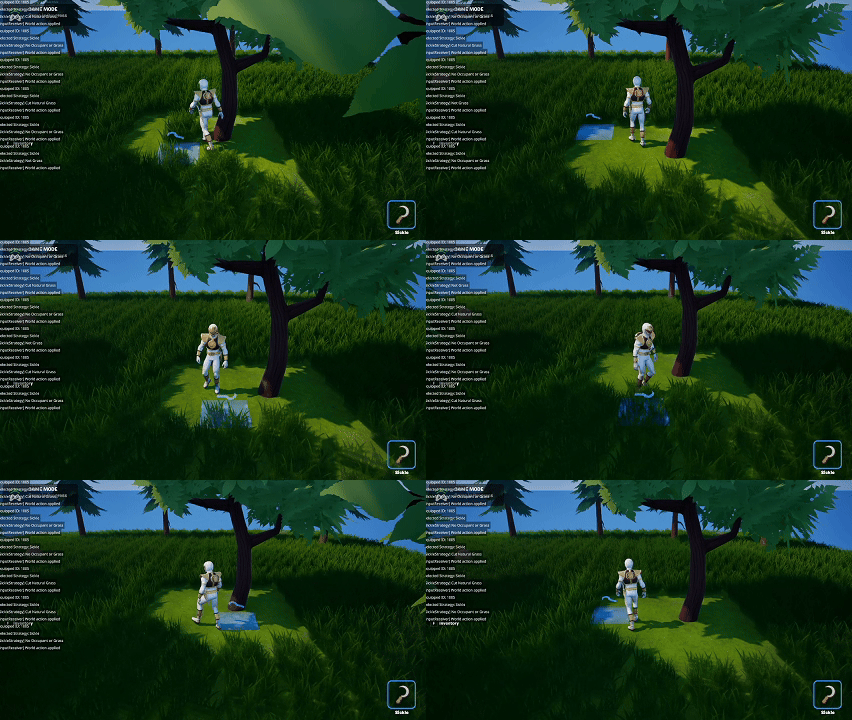
    Grass Cutting

    • Implemented the Grass resource loop:
      • Sickle harvests grass.
      • Grass is added to inventory.
      • Dropping Grass replants it.

    Summary

    What I accomplished:

    • Implemented procedural grid generation.
    • Added the grass harvesting and replanting loop.
    • Optimized initial load times.

    What I learned:

    • Procedural systems must balance performance and player expectations.
    • Resource loops quickly add depth to the world.
  • Bringing Cozy Games to Fortnite – Day 12

    Bringing Cozy Games to Fortnite – Day 12

    Day 12 — Persistence Hardening & Farming Completion

    Context

    With the farming loop in place, today was dedicated to polishing persistence and fixing edge cases.

    Inventory Improvements

    • Added Stack Drop support.
    • Refined smart pickups to prevent overfilling.

    Crop Persistence

    • Implemented a “ratchet system” to ensure crops never regress when rejoining the world (i.e., When testing, the date always resets when restarting a session…but don’t regress the crops).

    Critical Bug Fix

    • Fixed a major issue where updating a tile incorrectly erased its saved growth stage.

    Summary

    What I accomplished:

    • Completed farming persistence.
    • Added advanced inventory behaviors.
    • Fixed a major tile save corruption bug.

    What I learned:

    • Persistence must be validated at every step.
    • Multi-day systems require safeguard logic.
  • Bringing Cozy Games to Fortnite – Day 11

    Bringing Cozy Games to Fortnite – Day 11

    Day 11 — Farming Loop Foundations

    Context

    Today marked the beginning of the farming gameplay loop.

    Tile Lifecycle

    • Tiles now support the full farming lifecycle:
      • Empty → Hole → Planted → Growing

    Tool Behaviors

    • Shovel digs holes.
    • Seeds plant crops.
    • Watering Can waters planted crops.

    Growth Simulation

    • Crops progress using timestamps stored at planting. The world_time_component now drives multi-day growth.

    Summary

    What I accomplished:

    • Implemented the basic farming loop.
    • Added tool behaviors for planting and watering.
    • Built time-based crop stage progression.

    What I learned:

    • Time-based systems need careful persistence handling.
    • Tile state transitions must remain deterministic.
  • Bringing Cozy Games to Fortnite – Day 10

    Bringing Cozy Games to Fortnite – Day 10

    Day 10 — Drop/Pickup Completion & Inventory Model Redesign

    Context

    With the refactor complete, today focused on finishing the Drop/Pickup milestone and stabilizing the inventory architecture.

    Drop & Pickup Completion

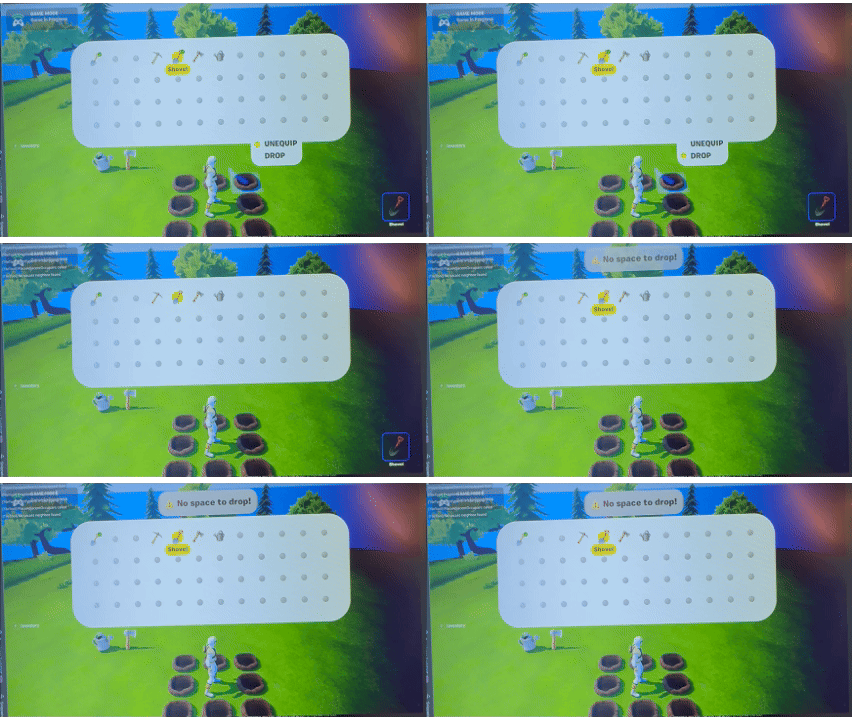
    • I implemented the full priority-based tile selection for dropping items. If no valid adjacent tile is available, the system now displays a toast message to the player. Items can also be picked up and placed into the correct inventory slot.

    Inventory Model Redesign

    • I refactored the inventory data model to use explicit slot-based storage rather than a virtual stack count. Each slot now stores both an Item ID and Quantity. This ensures the UI, logic, and persistence layers stay tightly aligned.

    Summary

    What I accomplished:

    • Completed the Drop/Pickup milestone.
    • Rebuilt the inventory model using explicit slot-based storage.
    • Added toast notifications for invalid drop attempts.

    What I learned:

    • Clear data ownership prevents subtle bugs.
    • User feedback (like toasts) matters even in early builds.
  • Bringing Cozy Games to Fortnite – Day 9

    Bringing Cozy Games to Fortnite – Day 9

    Day 9 — Grid Math Refinement & Prefab Stability

    Context

    Refactoring continued with a focus on stabilizing grid behaviors.

    Grid Alignment Fixes

    • Inconsistent grid math caused tool and item misalignment. I unified these calculations.

    Prefab Cleanup

    • Cleaned up several prefabs to reduce Scene Graph crashes.

    Summary

    What I accomplished:

    • Unified grid calculation logic.
    • Improved prefab clarity and stability.

    What I learned:

    • Grid calculations must be centralized.
    • Scene Graph can be fragile with frequent prefab edits.
  • Bringing Cozy Games to Fortnite – Day 8

    Bringing Cozy Games to Fortnite – Day 8

    Day 8 — Major Refactor & Early Asset Tests

    Context

    Today focused on reorganizing the project into cleaner, more modular components while exploring options for generative tiles/grid.

    System Decomposition

    • Large, overloaded systems were broken down into focused components.

    Tile Generation Tests

    • Attempts to generate 2,500 tiles at once caused editor instability (5-10 minutes to save and Push Changes).

    Asset Tests

    • I tested Fab assets with the Curved World material to explore stylistic compatibility.
    What it feels like when the day is an endless refactor

    Summary

    What I accomplished:

    • Completed a major structural refactor.
    • Tested large prefab generation.
    • Evaluated external assets with curvature.

    What I learned:

    • Prefabs can overwhelm the editor at scale.
    • Strong architecture accelerates future features.
  • Bringing Cozy Games to Fortnite – Day 7

    Bringing Cozy Games to Fortnite – Day 7

    Day 7 — Drop/Pickup Foundations & Architectural Limits

    Context

    Adding Drop and Pickup actions revealed structural limitations.

    Drop & Pickup

    • I implemented basic dropping and picking up of items.

    Architectural Issues

    • Several systems were doing too much, signaling the need for a larger refactor.

    Summary

    What I accomplished:

    • Added early Drop and Pickup behavior.
    • Identified structural bottlenecks.

    What I learned:

    • Refactoring is essential when scaling core systems.