Context
Today centered on two major efforts: improving the clarity and satisfaction of resource gathering and beginning the long-term optimization pass needed to keep the project within Fortnite’s memory constraints. With more assets being added, this kind of cleanup and budgeting work becomes increasingly important.
Resource Drop Animations
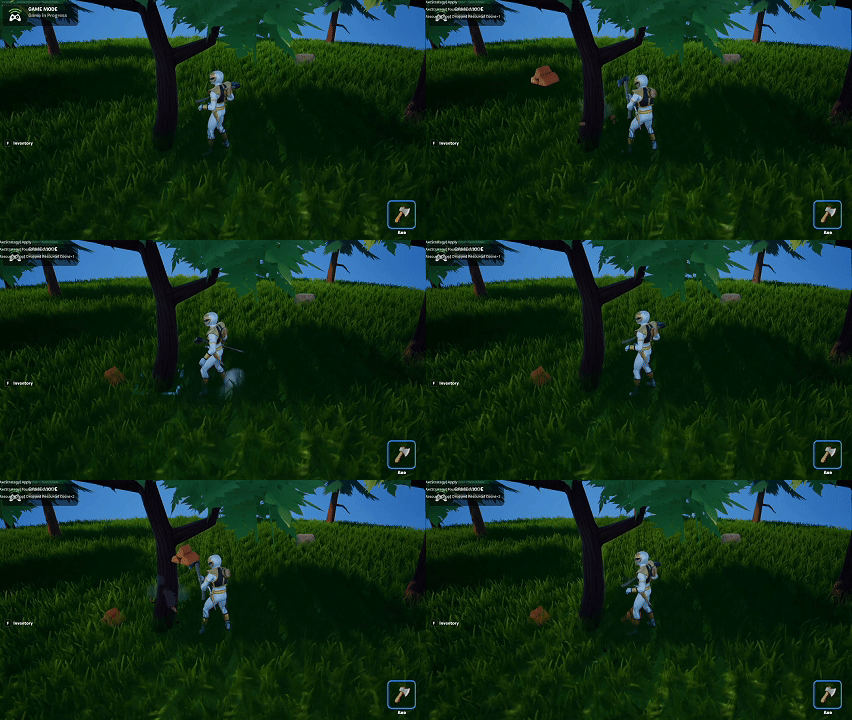
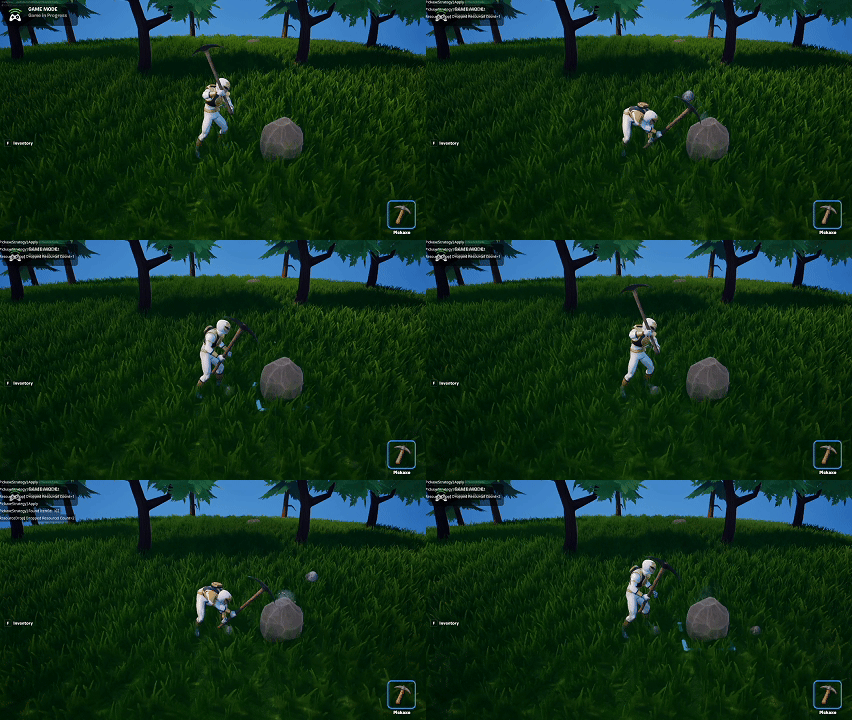
I added custom animations and behaviors for Stone and Wood resources. Now, when the player strikes a rock or tree:
- The resource visually drops from the object
- It lands on the tile beneath it
- Pickup behavior aligns with the existing resource loop
This small addition goes a long way toward making harvesting feel grounded. Rather than resources abruptly appearing in the inventory, they now have a physical presence in the world before being collected.
Project Cleanup & Organization
I spent a significant portion of the day cleaning and organizing the project. This included:
- Removing unused assets
- Standardizing folder structure
- Consolidating material instances
- Reviewing mesh imports for consistency
As the project grows, this kind of maintenance work prevents chaos later and ensures assets remain easy to track and modify.
Texture Compression & New Asset Imports
With the recent wave of purchased assets, I began the process of:
- Importing each mesh into the project
- Compressing all textures to appropriate formats
- Evaluating texture resolutions vs. quality
- Assessing how much each asset set contributes to project size
The project is currently sitting around 12% memory usage. With all incoming assets, I’m aiming to stay under 15%, which should preserve plenty of headroom for future features, VFX, UI, audio, and polish.
This might require additional optimization passes, but the early numbers seem workable.
Summary
What I accomplished:
- Added falling resource animations for Stone and Wood.
- Cleaned and reorganized major portions of the project.
- Began importing and compressing newly purchased assets.
- Assessed early memory budget with a goal of staying under 15%.
What I learned:
- Visualizing resource drops adds clarity and weight to gathering mechanics.
- Regular cleanup prevents technical debt from accumulating.
- Texture compression plays a huge role in keeping memory budgets healthy.
- Handling asset optimization early reduces surprises later in development.