
ProjectManager — What It Is & Why I Built It
I’ve been using AI agents more and more while developing my game, but as I need more and more work to get done (and anticipating the scale of building a community that will deliver feedback), I’ve had trouble managing all of the work that needs to get done.
When I’m the one doing the work, the “system” is simple: I remember what I’m doing, what I did yesterday, and what I’m doing next.
When an agent is doing the work, the system breaks down fast:
- Work happens in chat threads, not in a place I can scan quickly.
- I lose track of what I delegated vs. what’s still pending.
- Status becomes vague (“I think it’s done?” “I think it’s in progress?”).
- I can’t easily see what changed without re-reading a conversation.
- If I’m running multiple efforts, everything blends together.
And then the biggest issue: I’m planning to automate feedback intake soon.
In the near future, I want to hook up a Discord bot so community feedback and bug reports automatically become tickets I can triage.
But before I automate intake, I needed to fix the foundation:
If I don’t have a clean way to:
- capture work
- prioritize it
- and track what’s being done
…then automating feedback just creates a faster way to generate chaos.
So this project isn’t me trying to invent a new PM tool or replace Jira.
It’s much simpler than that:
I built ProjectManager to optimize my current workflow—so I can manage agent-driven tasks with a lightweight, visible backlog now… and be ready for automated user feedback later.
Overview
I built this because I kept running into the same issue: agents can move faster than my ability to track what’s happening.
Without a system:
- I’d ask an agent to do something, then forget what I delegated.
- Work would get duplicated because I didn’t remember what was “already in progress.”
- Context would live in chat transcripts instead of a place I can scan in 10 seconds.
I wanted a workflow where I could:
- capture work quickly as tickets
- prioritize it visually
- tell an agent “go do these”
- and trust that statuses and history would stay accurate
In practice, my core command to agents is: “PM Tickets”.
That phrase means: pull the current tickets, complete the next work item(s), and update the board as you go (status changes, checklists, and notes).
How It Works (High Level)
The app is intentionally straightforward.
Data model
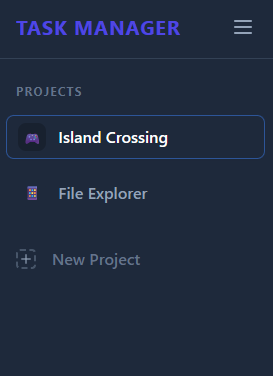
- Projects are stored separately (each project has its own folder and ticket JSON).
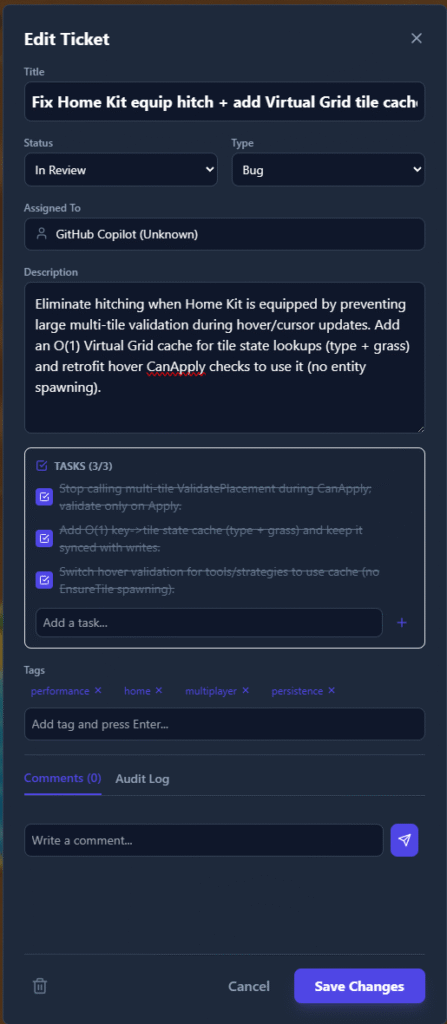
- Tickets live inside a project, with fields for status, type, checklist items, and history.
Primary UI flow
- Open a project.
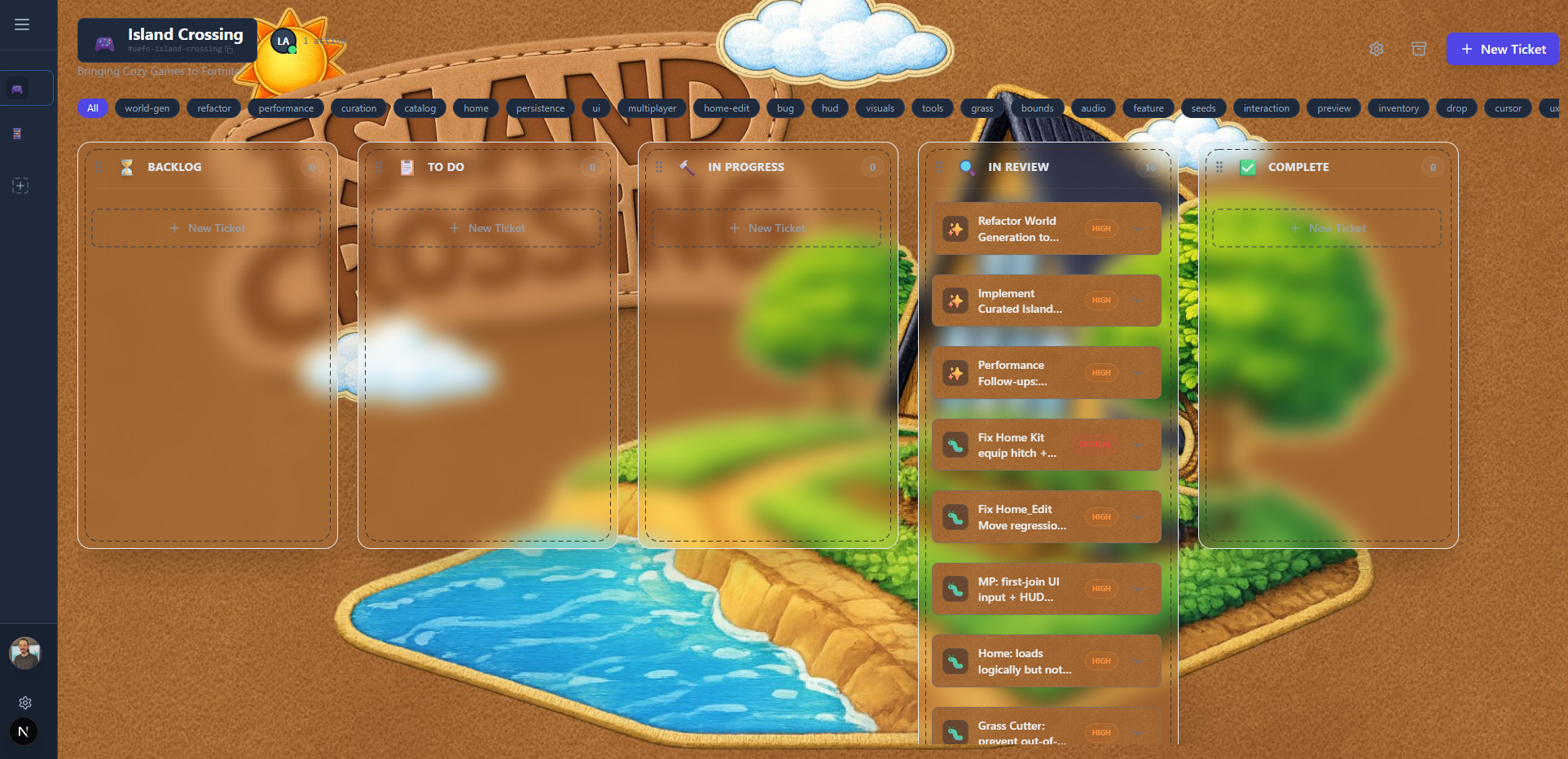
- See a Kanban board with custom columns.
- Drag tickets across statuses.
- Open a ticket to manage sub-tasks and review change history.
Where AI fits
- The board is the source of truth for “what should happen next.”
- Agents read tickets, execute tasks, and update the tickets as they work.
- The app is designed so agents can make safe, incremental changes without breaking the workflow.
Design & Technical Decisions
This is the heart of the project—what I chose to optimize for, and what I intentionally didn’t.
1) Local-first storage (on purpose) I didn’t want to start by designing a database schema, auth, hosting, deployment, etc. I wanted a tool I could use immediately.
So the source of truth is local JSON files.
- Easy to inspect.
- Easy to back up.
- Easy to change.
- Works offline.
The tradeoff is obvious: local JSON won’t scale to large teams or high concurrency without rethinking storage.
2) Repository pattern to stay “cloud-ready” Even though it’s file-backed today, I didn’t want the UI tightly coupled to the file system.
So I used a repository abstraction so I can swap storage later (DB, hosted service, etc.) without rewriting the front end.
This is a classic “do a little extra now to avoid a rewrite later” choice.
3) Multi-project isolation to prevent backlog collapse Most task tools drift into one mega-list. That’s exactly what I didn’t want.
ProjectManager keeps data isolated per project so I can:
- run multiple efforts without cross-contamination
- keep boards clean
- avoid turning everything into one endless backlog
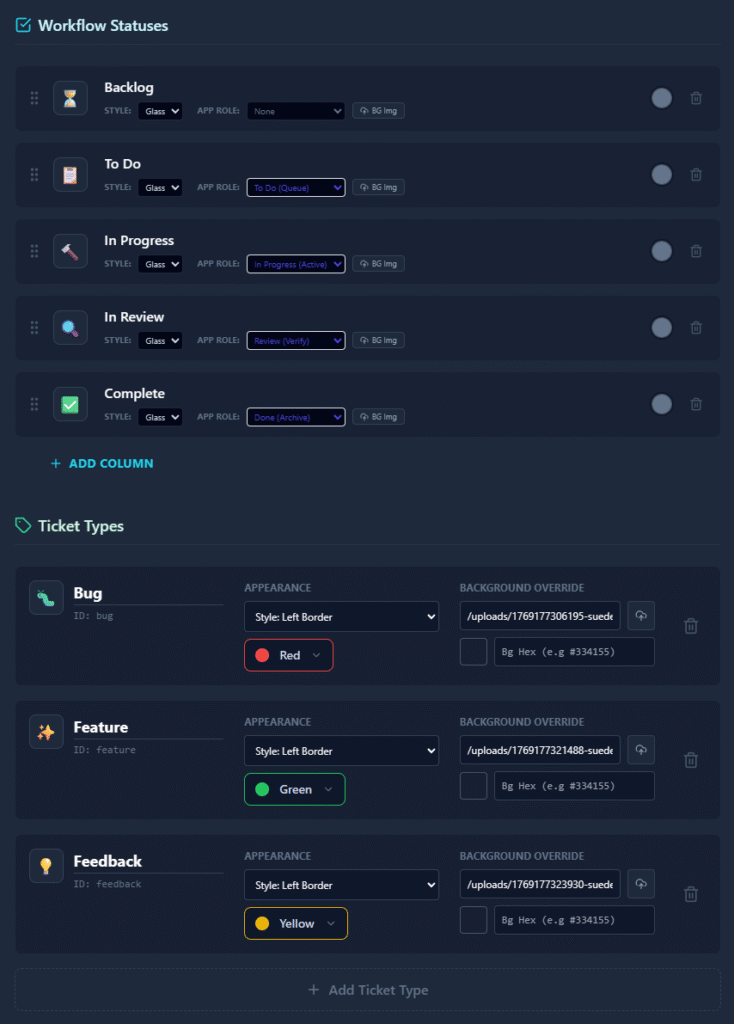
4) Configurable workflow instead of hardcoding my preferences I wanted this to fit different projects without building a new app every time.
So you can customize:
- status columns (the board layout)
- ticket types (labels/icons/colors)
- the theme (CSS variables + presets)
This adds some complexity, but it avoids the “tool fights your workflow” problem.
5) “Safe edits” over destructive actions Agents make lots of changes. Humans make mistakes. Deleting data is a great way to lose context.
So tickets are archived instead of hard-deleted, and major changes write to a history/audit log.
This is one of those decisions that feels boring until the first time it saves you.
Limitations & Open Questions
This is still early, and there are real constraints.
- It’s not a full PM suite. There’s no reporting, no complex dependencies, no sprint tooling.
- Local-first is a constraint. Multiple concurrent users (or multiple agents) would need better coordination.
- UX still has rough edges. Some flows are optimized for how I think, not necessarily for a new user.
- Agent behavior is only as good as the prompt + discipline. The app helps, but it can’t fully prevent messy updates.
The biggest open question is storage and collaboration:
- At what point does “local JSON + repo pattern” stop being enough?
- What’s the simplest path to multi-device sync without turning this into a SaaS project?
What I’m Building Next
The next step is the one that makes this feel like a real pipeline:
Discord → Tickets (automatic intake) I’m planning to hook up a Discord bot so community feedback and bug reports automatically create tickets.
That gives me:
- less manual copy/paste
- faster triage
- a clearer loop from community → backlog → shipped
If that works, ProjectManager stops being a personal tracker and becomes a lightweight “ops layer” for shipping.
What I Learned
Building this clarified a few things for me:
- When execution gets cheap, coordination becomes the bottleneck. Agents amplify this quickly.
- Local-first is underrated for early tools. It’s fast to iterate and easy to reason about.
- Abstractions are only worth it if they buy you a likely future. The repository pattern feels worth it here.
- Audit trails matter more with agents than with humans. Agents move fast, and “what happened?” becomes a daily question.
- Customizable workflows are a tradeoff. Flexibility helps reuse, but it increases surface area and testing burden.
This project wasn’t about building the perfect tool. It was about building a control panel I can trust while agents do more and more of the work.